
How to Rank on Google Maps
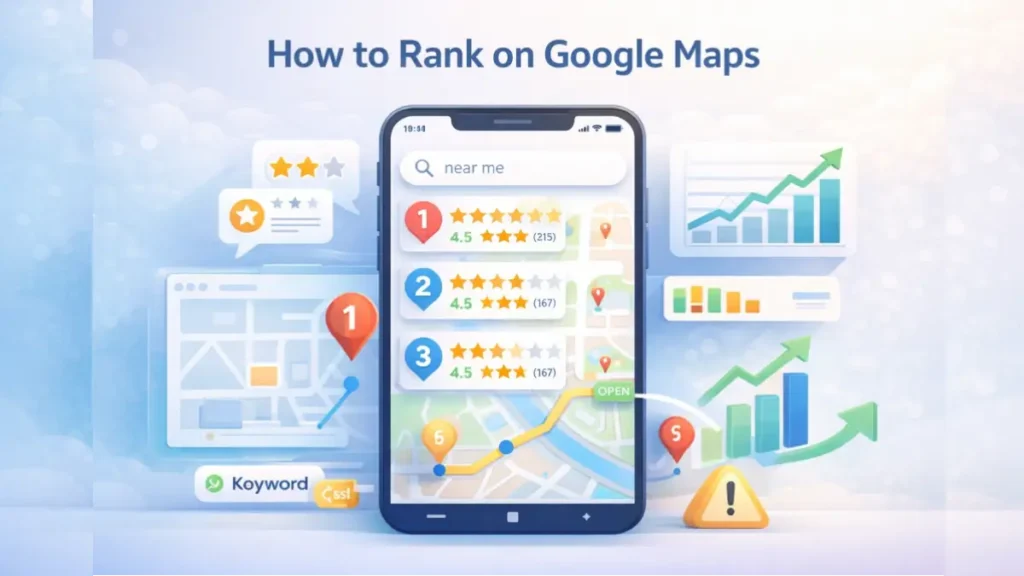
If you run a local business, learning how to rank on Google Maps can directly impact your leads and revenue.
When customers search for nearby services, Google shows a “Local Pack” with map listings.
Businesses that appear here receive the majority of clicks and calls.
However, ranking on Google Maps is not random. It depends on specific local SEO factors that you can optimize.
This guide breaks down practical steps to improve your visibility and dominate local search results.
Why Ranking on Google Maps Matters
Local search drives high-intent traffic. Users searching on maps are often ready to take action, such as:
- Visiting a store
- Calling a business
- Booking a service
Therefore, showing up in map results increases conversions significantly compared to traditional organic listings.
How Google Maps Ranking Works
Google uses three primary factors to determine rankings:
1. Relevance
Your business must match the user’s search query.
This depends on:
- Business categories
- Services listed
- Keywords in your profile
2. Distance
Google considers how close your business is to the searcher. Although you cannot control location, you can optimize for nearby areas.
3. Prominence
This reflects your business authority and trust.
It includes:
- Reviews and ratings
- Backlinks
- Online mentions (citations)
Balancing these factors improves your chances to rank higher.
Step-by-Step Guide to Rank on Google Maps
Claim and Optimize Your Google Business Profile
Your Google Business Profile (GBP) is the foundation of local SEO.
Start by:
- Claiming and verifying your listing
- Choosing the correct primary category
- Adding accurate business information
Additionally, ensure consistency in:
- Name
- Address
- Phone number (NAP)
Incomplete profiles rarely rank well.
Optimize Business Description and Services
Your business description helps Google understand your offerings.
Best practices include:
- Naturally include your primary keyword
- Highlight your core services
- Add location-specific terms
Also, list all services with detailed descriptions.
Add High-Quality Photos and Media
Visual content improves engagement and trust.
Upload:
- Interior and exterior photos
- Team images
- Product or service visuals
Active profiles tend to rank better.
Collect and Manage Customer Reviews
Reviews are one of the strongest ranking factors.
To improve rankings:
- Encourage satisfied customers to leave reviews
- Respond to all reviews professionally
- Include keywords naturally in responses
Businesses with consistent positive reviews gain higher visibility.
Build Local Citations
Citations are mentions of your business across directories.
Examples include:
- Local business directories
- Industry listings
- Review platforms
Ensure NAP consistency across all platforms. This strengthens trust signals for search engines.
Optimize Your Website for Local SEO
Your website supports your Google Maps ranking.
Key actions include:
- Create location-specific pages
- Add local keywords
- Embed Google Maps on your site
- Optimize for mobile users
A strong website improves your overall authority.
Use Local Keywords Strategically
Keyword targeting plays a major role.
Focus on:
- “Service + city” keywords
- “Near me” variations
- Long-tail local queries
For example: “digital marketing agency in UAE”
These keywords align with user intent and improve rankings.
Post Regular Updates on Your Profile
Google Business Profile allows you to publish posts.
Use this feature to:
- Share offers
- Announce updates
- Promote events
Regular activity signals relevance and engagement.
Earn Local Backlinks
Backlinks from local websites improve prominence.
You can get links from:
- Local blogs
- News websites
- Business partnerships
These links increase your authority in a specific area.
Common Mistakes That Hurt Google Maps Rankings
Avoid these errors to maintain strong rankings:
- Inconsistent business information
- Keyword stuffing in business name
- Ignoring customer reviews
- Low-quality or outdated photos
- Inactive business profiles
Fixing these issues can quickly improve visibility.
How Long Does It Take to Rank on Google Maps?
Ranking on Google Maps typically takes 1 to 3 months for noticeable improvements. However, competitive locations may require more time. Factors that influence speed include:
- Competition level
- Review quality and quantity
- Optimization consistency
Therefore, consistent effort is essential.
Advanced Tips to Dominate Local Search
To outperform competitors, go beyond basics:
- Add FAQs to your business profile
- Use geo-tagged images
- Track performance insights regularly
- Optimize for voice search queries
These strategies provide an additional edge.
Final Thoughts on How to Rank on Google Maps
Learning how to rank on Google Maps can transform your local business visibility. By optimizing your Google Business Profile, building reviews, and improving local SEO signals, you can consistently appear in top map results. Although results require effort and consistency, the payoff includes higher traffic, better leads, and increased revenue.
For businesses aiming to scale faster, working with experienced teams like SEOXREACH can help implement advanced local SEO strategies tailored to your market.
FAQs
How do I rank higher on Google Maps quickly?
Optimize your Google Business Profile, get reviews, and ensure NAP consistency across directories.
Do reviews affect Google Maps ranking?
Yes, reviews significantly impact prominence and trust, directly influencing rankings.
Can I rank on Google Maps without a website?
Yes, but having an optimized website improves authority and increases ranking potential.