
On-Page SEO Checklist for Higher Rankings
October 29, 2026
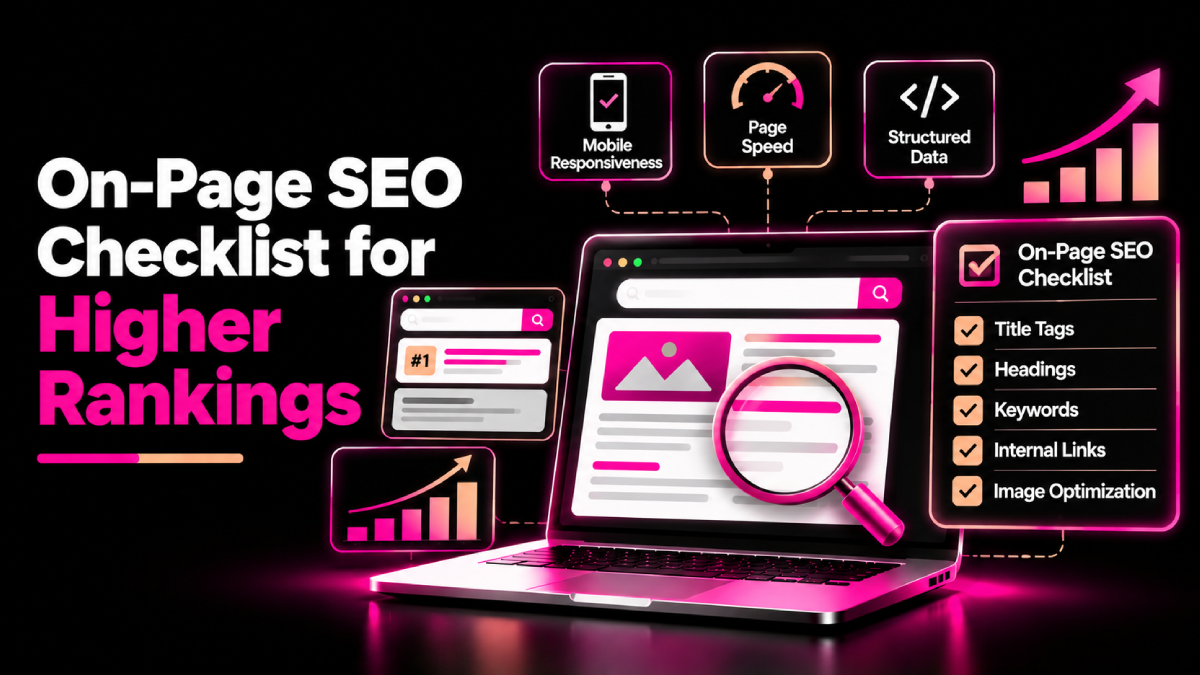
Publishing a website page is only the first step toward earning organic traffic. To compete in search results, you need clear content, useful headings, relevant keywords, helpful internal links, and a page structure that search engines can understand.
This on-page SEO checklist for higher rankings gives you a practical way to review important page elements, identify gaps, and improve your website without relying on outdated SEO tricks.
Whether you manage a small business website, an eCommerce store, or a SaaS platform, these steps can help you build pages that meet search intent and deliver a better user experience. Although no checklist guarantees higher rankings, consistent optimization helps establish a stronger foundation for long-term SEO.
What Is On-Page SEO?
On-page SEO involves optimizing the content and HTML elements of individual web pages so users and search engines can understand their purpose.
It includes elements such as title tags, headings, page content, image descriptions, URLs, and internal links. It also involves making sure each page answers the searcher’s needs clearly.
Unlike off-page SEO, which includes activities such as earning backlinks, on-page SEO focuses primarily on the page itself.
Google’s SEO Starter Guide provides useful guidance on helping search engines understand your content and helping visitors find relevant information.
The Complete On-Page SEO Checklist for Higher Rankings
Use the following checklist when creating a new page or reviewing an existing one.
1. Research Keywords and Search Intent
Before editing a page, understand what your audience searches for and what they expect to find.
- Choose one primary keyword that closely matches the page’s purpose.
- Identify relevant secondary keywords and related concepts.
- Review the current search results to understand the dominant intent.
- Check whether users want a guide, product page, comparison, or service page.
- Avoid targeting unrelated keywords simply because they have high search volume.
For example, someone searching for “on-page SEO checklist” probably wants actionable steps. A sales page alone may not meet that expectation.
Group closely related keywords when they share the same intent. Then create separate pages when searchers have clearly different needs.
2. Optimize the SEO Title and Meta Description
Your title tag helps search engines and users understand the page topic. A clear, relevant title can also help searchers decide whether to click.
Check that you:
- Include the primary keyword naturally in the title.
- Describe the page accurately.
- Keep the title concise and distinctive.
- Write a unique meta description that summarizes the page’s value.
- Avoid repetitive keywords and exaggerated promises.
Google may generate a different title link or search snippet based on the page and the user’s query. Therefore, treat your title and meta description as useful inputs rather than guaranteed displays.
3. Structure Headings Clearly
A logical heading structure helps readers scan your content and understand how sections relate to one another.
- Use one clear H1 as the main page heading.
- Organize major sections with H2 headings.
- Use H3 headings for supporting topics where needed.
- Include relevant keywords naturally in appropriate headings.
- Make headings descriptive rather than vague or repetitive.
For example, a guide about technical SEO could use H2 headings for crawling, indexing, site speed, and structured data. This creates a clear path through the information.
4. Create Helpful, Original Content
Content quality should guide every on-page optimization decision. A page should answer the user’s question thoroughly without adding unnecessary text just to increase word count.
Review your content for these points:
- Answer the main question early.
- Provide practical steps, examples, and relevant explanations.
- Remove filler, repetition, and unsupported claims.
- Use short paragraphs and descriptive lists.
- Explain specialist terms in plain language.
- Add original insights based on genuine experience or research.
- Update outdated information when necessary.
Google’s helpful content guidance emphasizes content created to help people rather than content produced primarily to manipulate search rankings.
For broader search visibility, see our guide on how to rank on Google and AI search.
5. Improve Keyword Placement Naturally
Keywords help communicate a page’s subject, but repeating the same phrase excessively can make content difficult to read.
Check whether the primary keyword appears naturally in:
- The SEO title
- The main heading, where appropriate
- The introduction
- A relevant subheading, if it fits
- The main body content
- The conclusion, where it reads naturally
Use synonyms and related concepts when they help explain the topic. Avoid fixed keyword-density targets and unnatural repetition.
The goal is to make the page relevant and useful, not to reach an arbitrary percentage.
6. Optimize URLs and Internal Links
Clear URLs and meaningful internal links help users navigate your website and help search engines discover related pages.
- Use concise, descriptive URLs.
- Separate words with hyphens.
- Avoid unnecessary parameters and confusing URL structures where possible.
- Link to related service pages, guides, and resources.
- Use descriptive anchor text that explains the destination.
- Check for broken internal links.
- Ensure important pages are reachable through normal navigation and links.
For example, a technical SEO article could link to the relevant SEOXREACH Core Web Vitals service when discussing page performance.
Review your site architecture and SEO to help organize related pages and make important content easier to discover.
7. Optimize Images and Media
Images can explain complex ideas and improve a page’s usefulness. However, poorly optimized media can slow down loading and create a frustrating experience.
Use this checklist:
- Choose images that support the content.
- Compress images without sacrificing necessary quality.
- Use suitable dimensions and modern formats where appropriate.
- Write descriptive alt text for informative images.
- Leave decorative images with empty alt attributes where appropriate.
- Set image dimensions to reduce unexpected layout shifts.
- Avoid lazy-loading the main above-the-fold image if it delays its display.
Alt text should describe an image’s purpose or meaningful content. Do not stuff it with keywords.
8. Check Mobile Usability and Page Performance
Your page should work well on phones, tablets, and desktop screens. Visitors should be able to read content, navigate menus, and complete important actions without unnecessary friction.
Check that:
- Text remains readable on small screens.
- Buttons and links are easy to use.
- Important content is available on mobile.
- Images and embedded content fit the screen.
- Navigation and forms work correctly.
- Pages load promptly and respond smoothly.
Use Google PageSpeed Insights to investigate performance issues. Review Core Web Vitals, including Largest Contentful Paint (LCP), Interaction to Next Paint (INP), and Cumulative Layout Shift (CLS).
For deeper optimization, explore the SEOXREACH Core Web Vitals service.
9. Review Structured Data and Indexability
Structured data can help search engines understand certain types of content and may make eligible pages qualify for enhanced search appearances. However, valid markup does not guarantee a rich result or higher rankings.
Check that:
- The page can be crawled and indexed when intended.
- Important content is not accidentally blocked.
- Canonical tags point to the preferred URL.
- Relevant structured data follows Google’s guidelines.
- Structured data accurately reflects visible page content.
- Redirects and status codes work as expected.
Use Google’s structured data documentation and the Rich Results Test to review supported markup.
Remember that structured data and indexing checks overlap with technical SEO. They complement on-page optimization rather than replace it.
10. Measure Results and Update Pages
Optimization does not end when you publish a page. Review performance to identify opportunities for improvement.
Use Google Search Console to monitor:
- Search queries generating impressions and clicks
- Pages gaining or losing visibility
- Click-through rate trends
- Indexing problems
- Changes after content updates
Also review conversions in your analytics platform. A page that attracts fewer visitors but generates more qualified enquiries may contribute more business value than a high-traffic page with little engagement.
Prioritize updates based on evidence. Avoid changing titles or content repeatedly without a clear reason.
Common On-Page SEO Mistakes to Avoid
Even a well-written page can underperform when optimization becomes excessive or the basics are overlooked.
Avoid these common mistakes:
- Repeating keywords unnaturally
- Publishing duplicate or near-duplicate pages without a clear purpose
- Writing titles that do not match page content
- Adding internal links that do not help readers
- Using misleading image alt text
- Ignoring mobile usability
- Assuming a perfect SEO tool score guarantees rankings
- Updating pages without measuring the impact
Instead, focus on relevance, usefulness, accessibility, and a clear path for visitors to take the next step.
Conclusion
A consistent optimization process helps you identify weak pages, improve content clarity, and make your website easier to navigate. Use this on-page SEO checklist for higher rankings to review search intent, titles, headings, content quality, internal links, images, mobile usability, and indexability. Then measure the results and refine pages based on real performance data rather than chasing perfect scores or guaranteed rankings.
FAQs About On-Page SEO Checklist for Higher Rankings
Quick answers related to this guide, and how SEOXREACH can help you apply them.
Start with content that satisfies search intent. Then make the page easy to understand through a clear title, descriptive headings, useful internal links, and sound technical implementation. No single element guarantees rankings.
Review important pages periodically and after major website changes. Revisit pages when performance declines, information becomes outdated, search intent changes, or your services and products evolve.
There is no universal ideal number. Use the keyword where it helps readers understand the page, and include related terms naturally. Avoid keyword stuffing and arbitrary density targets.
Google does not use the meta description as a direct ranking factor. However, a relevant description may help users understand a result, and Google may use it to generate the search snippet.
Yes, improvements to relevance, content quality, and page structure can support search visibility without earning new backlinks. However, results depend on competition, the query, and many other ranking factors.
Google Search Console, PageSpeed Insights, the Rich Results Test, and browser developer tools are useful starting points. SEO platforms can provide additional keyword, content, and site-audit insights.
Ready to Grow Organically?
Get a custom SEO strategy to increase your traffic, leads and revenue with SEOXREACH.
Get a Free SEO Audit →- More Traffic
- Higher Rankings
- Increase Revenue