
Technical SEO Checklist for Better Rankings
October 23, 2026
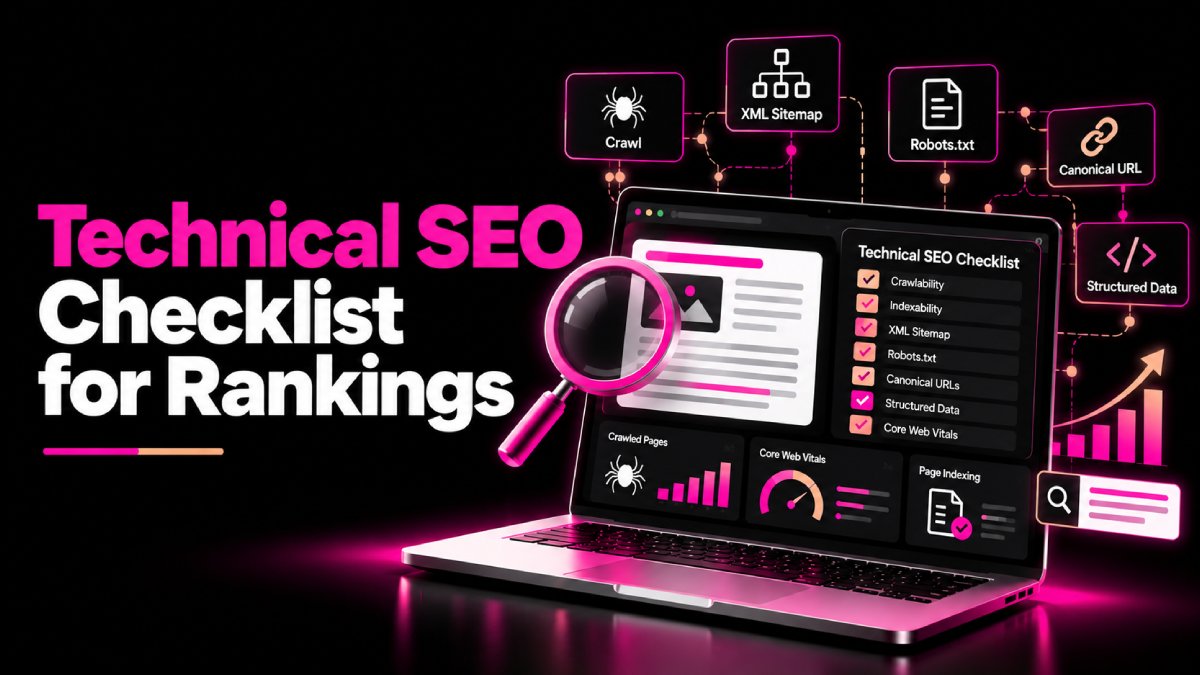
Your website can have excellent content and valuable backlinks yet struggle to appear in Google search results. Often, the problem lies in the technical foundation: search engines cannot access important pages, indexing signals conflict, or website performance creates a poor user experience.
This technical SEO checklist for rankings helps you identify and prioritize these issues before they limit your organic search potential. It covers crawling, indexing, website structure, page speed, duplicate URLs, structured data, and performance monitoring.
Technical SEO does not guarantee a top position. However, it helps search engines discover and understand your pages while making your website easier for visitors to use.
What is Technical SEO?
Technical SEO focuses on the website infrastructure that helps search engines crawl, render, interpret, and index your content.
It includes areas such as:
- Crawlability and indexability.
- XML sitemaps and robots.txt.
- Website architecture and internal links.
- Canonical tags and redirects.
- Mobile usability and page performance.
- Structured data and HTTPS security.
Google explains its minimum technical requirements in its official technical requirements documentation. Meeting those requirements makes a page eligible for indexing, but it does not guarantee inclusion or rankings.
Technical SEO Checklist for Rankings
1. Check Website Crawling and Indexing
First, confirm that search engines can access the pages you want to rank.
Open Google Search Console and review the Page Indexing report. Investigate important URLs that Google has excluded, failed to crawl, or identified as duplicates.
Use the URL Inspection tool to check individual pages and compare Google’s indexed information with the live page.
Your checklist:
- Confirm important pages return an HTTP 200 status.
- Check that important pages do not contain accidental
noindexdirectives. - Review robots.txt for rules that block essential pages or resources.
- Make sure Googlebot can access the content you want indexed.
- Check whether important pages appear in Google’s index.
- Investigate server errors, soft 404s, and unexpected redirects.
Remember that robots.txt controls crawling, not indexing. A blocked URL may still appear in search results without a descriptive snippet. Use the appropriate indexing directives for the outcome you want.
For additional guidance, consult Google’s crawling and indexing documentation.
2. Optimize Your XML Sitemap and Robots.txt
An XML sitemap helps Google discover URLs that matter to your website. It should list the canonical pages you want search engines to consider indexing.
Check that your sitemap:
- Contains valid, absolute URLs.
- Includes important, indexable pages.
- Excludes redirected, broken, and non-canonical URLs.
- Reflects the current website structure.
- Is submitted through Google Search Console.
Next, review your robots.txt file. Avoid blocking important resources or page paths that Google needs to access.
Do not use the sitemap as a substitute for internal links. Google can discover pages through crawlable links, and sitemap submission does not guarantee crawling or indexing.
Follow Google’s official sitemap guidelines when creating or updating your file.
3. Fix Duplicate Content and Canonical Issues
Duplicate or very similar pages can create confusion about which URL should appear in search results.
Common causes include URL parameters, trailing slash variations, HTTP and HTTPS versions, and pages accessible through multiple paths.
Review these issues:
- Add consistent canonical tags where appropriate.
- Redirect permanently moved pages to their closest relevant replacements.
- Link internally to your preferred canonical URLs.
- Include canonical URLs in your XML sitemap.
- Avoid conflicting canonical signals across your website.
- Review filter and parameter URLs on large websites.
Canonical tags act as signals rather than absolute commands. Google may select a different canonical URL when other evidence suggests another page is more appropriate.
Read Google’s guide to consolidating duplicate URLs before making significant changes.
4. Improve Website Architecture and Internal Linking
A logical website structure helps users find relevant information and allows search engines to discover important pages.
Organize content into clear categories, services, and supporting articles. Keep important pages accessible through relevant navigation and contextual internal links.
For example, a technical SEO article can link to your Technical SEO Audit service when readers need professional support. Supporting articles can also connect to related resources, such as SEOXREACH’s guide to increasing website Trust Flow.
Audit your internal links to identify:
- Important pages with few internal links.
- Orphan pages that are difficult to discover.
- Broken links and unnecessary redirect chains.
- Generic anchor text that lacks useful context.
- Pages buried too deeply within the site structure.
For larger websites, review your categories and URL hierarchy before changing the navigation. SEOXREACH’s site architecture SEO services can also help businesses assess structural issues.
5. Improve Core Web Vitals and Page Performance
A slow or unstable website can frustrate visitors and make important tasks harder to complete. Improving performance can strengthen the user experience, although it does not guarantee higher rankings.
Google’s Core Web Vitals measure three aspects of real-world page experience:
- Largest Contentful Paint (LCP): Measures loading performance. A good result is 2.5 seconds or less.
- Interaction to Next Paint (INP): Measures responsiveness. A good result is 200 milliseconds or less.
- Cumulative Layout Shift (CLS): Measures visual stability. A good result is 0.1 or less.
These thresholds apply to the 75th percentile of page visits.
Use PageSpeed Insights and Search Console’s Core Web Vitals report to identify opportunities. Then consider compressing images, reducing unnecessary JavaScript, improving caching, and optimizing server response times.
Prioritize changes based on real user data rather than chasing a perfect laboratory score.
If performance problems require specialist attention, explore SEOXREACH’s Core Web Vitals services.
6. Review Mobile Usability, HTTPS, and JavaScript
Your website should work reliably across mobile devices and browsers.
Check that mobile visitors can read content, use navigation, complete forms, and access important page elements without difficulty.
Also confirm that:
- Your website uses HTTPS correctly.
- HTTP versions redirect to the preferred HTTPS URLs.
- Mobile and desktop pages provide equivalent essential content.
- JavaScript does not hide critical content from search engines.
- Important links use crawlable HTML link elements.
- Forms and interactive components work as expected.
Google primarily uses the mobile version of a website’s content for indexing. Therefore, ensure that important text, metadata, and structured data remain consistent with your intended page content.
7. Validate Structured Data
Structured data provides explicit information about a page and can help Google understand eligible content.
Depending on the page, appropriate markup may include Article, Organization, Product, or LocalBusiness structured data.
Follow these rules:
- Select a schema type that accurately describes the page.
- Ensure markup reflects visible and accurate information.
- Validate your implementation using Google’s Rich Results Test where supported.
- Fix relevant errors and monitor Search Console reports.
- Avoid adding unsupported ratings, reviews, or other fabricated details.
Structured data can make pages eligible for certain search features, but it does not guarantee rich results or higher rankings.
Review Google’s structured data guidelines before implementation.
8. Audit Redirects, Broken Links, and Status Codes
Redirect errors and broken URLs can disrupt navigation and waste crawling opportunities.
Use a website crawler to identify URLs returning 3xx redirects, 4xx client errors, or 5xx server errors. Investigate each issue before deciding how to fix it.
- Redirect permanently moved pages to the most relevant replacement.
- Repair internal links pointing to broken URLs.
- Avoid long redirect chains and loops.
- Preserve valuable URLs when redesigning or migrating a website.
- Return accurate status codes for missing pages.
- Avoid redirecting unrelated deleted pages to the homepage.
Not every 404 is a problem. If a page has genuinely been removed and no relevant replacement exists, a 404 or 410 response may be appropriate.
9. Monitor Technical SEO Regularly
Technical SEO requires ongoing checks because website updates, plugins, templates, and migrations can introduce new problems.
Create a recurring audit process using Google Search Console, PageSpeed Insights, server logs where available, and a reliable crawling tool.
Track:
- Important pages that become deindexed.
- New crawl and server errors.
- Changes in Core Web Vitals.
- Broken links and redirect issues.
- Sitemap processing problems.
- Organic clicks and impressions for priority pages.
Prioritize issues by business impact. A blocked revenue-generating service page deserves attention before a minor issue on a low-value page.
For more ideas on connecting technical improvements with organic performance, read SEOXREACH’s guide to proven ways to boost organic traffic.
Conclusion
A well-maintained technical foundation helps search engines discover, process, and understand your website. Start by checking crawling and indexing, then review sitemaps, canonical tags, internal links, page performance, and structured data.
Use this technical SEO checklist for rankings to prioritize the issues that affect important pages and revisit them regularly. Combined with helpful content and relevant authority signals, technical SEO supports a stronger foundation for sustainable organic search performance.
FAQs About Technical SEO Checklist for Better Rankings
Quick answers related to this guide, and how SEOXREACH can help you apply them.
A technical SEO checklist typically covers crawling, indexing, XML sitemaps, robots.txt, canonical tags, redirects, internal links, mobile usability, Core Web Vitals, HTTPS, and structured data.
Technical SEO helps search engines access and understand your pages. Fixing significant issues can remove barriers to organic visibility, but rankings also depend on relevance, content quality, competition, and other factors.
Review critical indexing and performance issues regularly, and perform a broader audit at least quarterly for many small and medium-sized websites. Large or frequently updated websites may need more frequent checks.
Google Search Console and PageSpeed Insights are useful starting points. Website crawlers can identify broken links, redirects, duplicate metadata, and other technical issues. Choose tools based on your site's size and needs.
No. A sitemap helps Google discover URLs, but Google decides whether to crawl and index each page. Ensure that pages are accessible, useful, and eligible for indexing.
Core Web Vitals are used by Google's ranking systems as part of page experience considerations. Strong scores do not guarantee top rankings, and relevant content remains important.
You can handle many basic checks through Google Search Console, a CMS, and SEO tools. However, complex rendering issues, server errors, large-scale redirects, and code changes may require developer support.
Ready to Grow Organically?
Get a custom SEO strategy to increase your traffic, leads and revenue with SEOXREACH.
Get a Free SEO Audit →- More Traffic
- Higher Rankings
- Increase Revenue